Wick & Mortar
Skincare shop product page template · Shops and makers
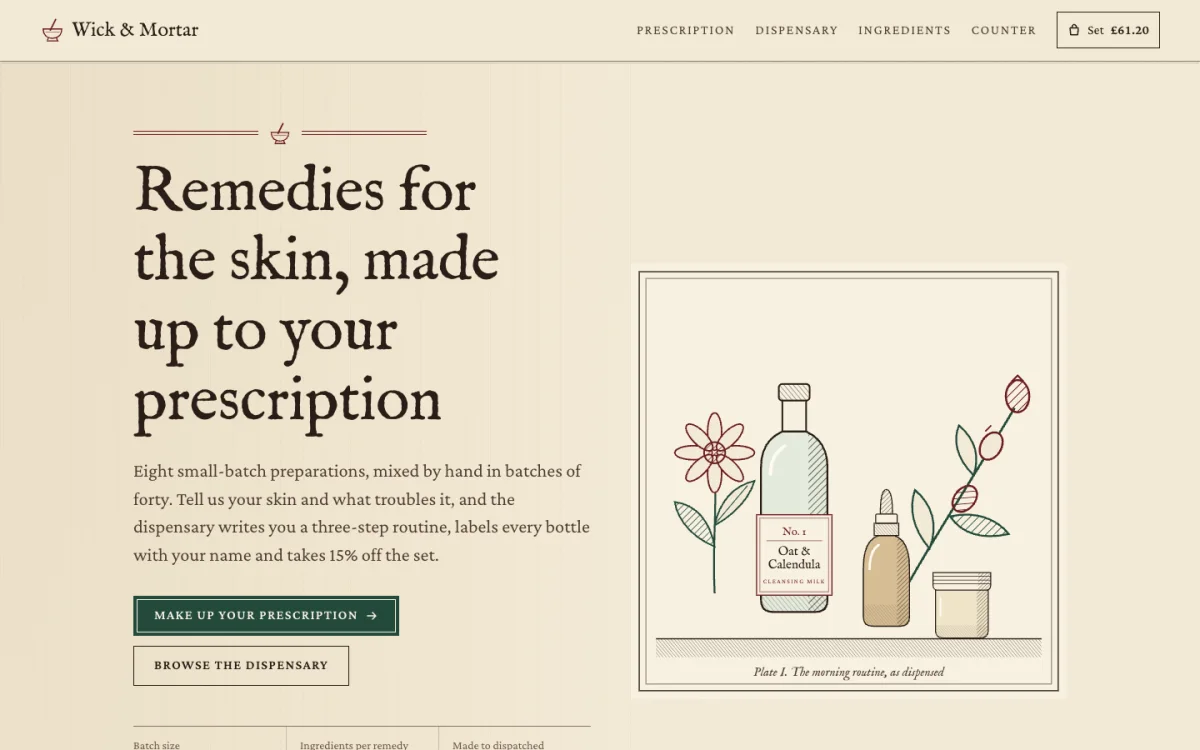
A Victorian apothecary's printed sheet: ivory stock, oxblood and bottle-green inks, engraved bottles and botanicals in SVG hatching, and every remedy numbered like a prescription.
The page is a dispensing chemist's printed sheet: an engraved plate of a cleansing bottle, a tincture and a jar of balm among calendula and rosehip, all drawn in SVG with hatching for shade, set beside the shop's sign. Labels carry double oxblood rules, the actions are bottle green, and the eight remedies are numbered in the order the maker first mixed them.
The prescription builder asks for a skin type and up to three concerns, then picks one cleanser, one treatment and one seal from the eight. Each pick shows its reasoning, and when the best match is out of stock the sheet says so and names the swap. The three drawn bottles carry labels with the customer's name typed onto them as they write it, validated to 18 letters, and the set is priced with its 15% discount. Below are the dispensary with ingredient filters, a glossary of every ingredient, the counter with a sets stepper and loading, success and error states, an out-of-stock remedy with a notify form, and the counter questions.
Everything is drawn in SVG and CSS from four inks on ivory. There are no photographs and no libraries.
The brand is fictional: Wick & Mortar, a small-batch skincare maker on Walcot Street in Bath. Names, people and figures on the page are invented.
What works
- Prescription builder: skin type and up to three concerns pick a three-step routine with the reasoning shown
- Out-of-stock swap: the builder names the remedy it would have chosen and dispenses the next best
- Name on the labels: typed straight onto the three drawn bottles, uppercase, fitted, validated to 18 letters
- Set tally with a 15% set discount, mirrored in the masthead and at the counter
- Dispensary filters by ingredient, with the routine's bottles marked on the shelf
- Counter: sets stepper, dispense with loading, success and error, retry and start again
- Notify form for the out-of-stock serum with inline email validation
- Questions accordion
States you can link to
script.js reads these from the URL, so you can open the page in a given state to review it, screenshot it or show it to an agent.
| Parameter | What it does |
|---|---|
?skin=dry | prescribes for dry skin and opens on the builder. Open ?skin=dry |
?skin=sensitive | sensitive skin: the out-of-stock serum is named and swapped. Open ?skin=sensitive |
?name=Ada | prints ADA on all three labels and at the counter. Open ?name=Ada |
?state=success | dispenses the set (as Ada) and shows the confirmation. Open ?state=success |
?state=error | dispenses the set and shows the failed-to-send state; retry succeeds. Open ?state=error |
Use it
Copy templates/apothecary/ into your project, or download the zip, which has the Screenery badge script already removed. Colours, type, spacing and radii are custom properties at the top of style.css. This template loads no libraries: only its own files and web fonts.
The docs explain the token pattern and how to move a template into React, Vue, Svelte or Astro. The guide has prompts for handing it to a coding agent.
Inspection
Loaded in Chromium 156.0.8078.4 (Playwright, headless) on 27 November 2026 at 1440, 1024, 768, 390 pixels wide and once more with reduced motion requested. Every check passed at every width.
- 1440 px
- Pass
- 1024 px
- Pass
- 768 px
- Pass
- 390 px
- Pass
- Reduced motion
- Pass
- Page weight
- 264 KB, 9 requests
Requests and transferred size were measured at 1440 pixels on a cold cache and include web fonts and any CDN library. The full result is in the viewer: open the Checks panel. How templates are checked.